
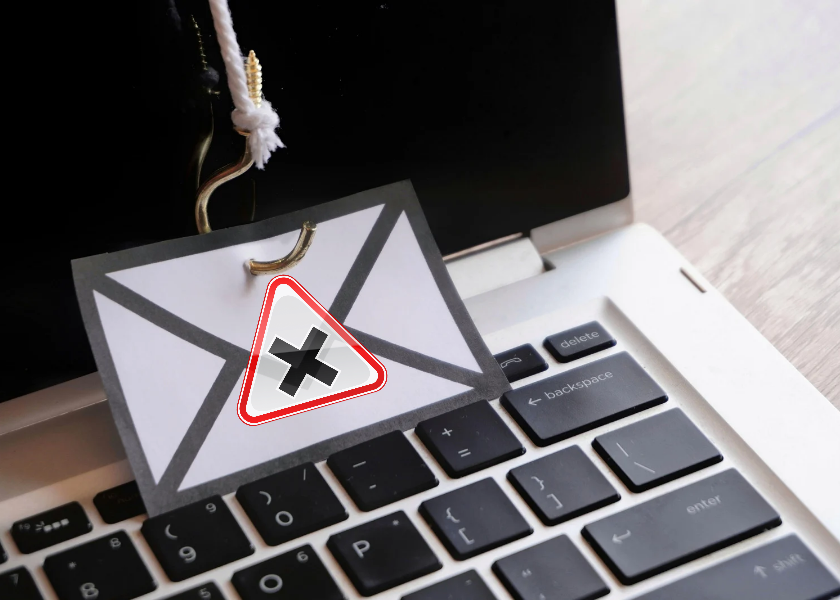
We’ve all seen those suspicious emails or texts claiming you’ve won a prize, or worse, stating that your bank account’s compromised. But how can you be sure what’s fake and what’s not? That’s where this comprehensive guide on recognizing and avoiding phishing scams comes in.
In today’s digital-first world, phishing scams are more sophisticated than ever. However, they’re no longer filled with spelling mistakes or odd logos. Many look nearly identical to official messages from your bank, employer, or even government agencies. So, that’s why understanding how to recognize and avoid phishing scams is essential for everyone, from remote workers to online shoppers. Let’s explore this in detail, and we’ll walk you through real examples so you know exactly what to watch out for.
How to Avoid Phishing Scams and What They Are?
Phishing is the term used to describe a scam in which thieves pretend they be a trusted entity to steal your personal information. People involved in scams often go online fishing in the hopes you will bite.
Phishing scams are most commonly of the following types:
- Email phishing: Phony emails saying that you have to change your password or that you need to confirm your account.
- SMS phishing (Smishing): Deceptive text messages with links that steal your information.
- Spear phishing: General attacks that are specifically targeted at an individual or a company.
- Voice phishing (Vishing): someone just calling and posing as your bank or ISP.
When you are not paying attention, it is easy to walk into their trap, as can be observed. So, this is why it is not only useful but essential to get familiar with phishing scams and, correspondingly, learn how to prevent them.
Common Red Flags That Signal Phishing
The first step towards identifying phishing scams is to acquire an understanding of their characteristic features. These are what to look at:
1. Urgency or Fear Tactics
Such messages that read, Your account is going to be suspended in 24 hours! It is a red flag in itself. Identity thieves operate under a sense of urgency so that you act hastily without considering your options.
2. Unusual Sender Addresses
Real companies do not send emails often with addresses like amazonverify123@gmail.com. So always leave the mouse over to see the whole email address of the sender.
3. Generic Greetings
Fraudsters do not know your name most of the time. The messages that start by saying Dear customer are usually suspect.
4. Unexpected Attachments or Links
This is because if you have not received an email stating that you are required to download document or a document, do not open it. They should check first before clicking.
5. Grammatical Errors and Awkward Phrasing
Phishing messages are increasingly becoming sophisticated, but there are numerous cases where phishing messages contain strange grammar, poor English, or formatting errors.
Being able to identify and prevent phishing attacks is all about getting to know these minor details since they can indicate a mighty menace in some cases.
Examples of Phishing Scams
Let’s take a closer look at some actual phishing messages people have received:
Example 1: Fake PayPal Email
Subject Line: “Suspicious Login Attempt – Action Required”
Message:
“Dear PayPal User,
We noticed an unusual login attempt from a new device.
Red Flags:
- Generic greeting
- Suspicious link
- Creates urgency without proof
Example 2: Fake Netflix Account Alert
SMS Text:
“Your Netflix account has been suspended. Update billing info here: http://netflx-payments-update.com”
Red Flags:
- First, misspelled domain
- Threatens account loss
- Demands immediate action
So, this is how scammers prey on your habits and fears. But don’t worry, knowing how to recognize and avoid phishing scams is your best line of defense.
Best Practices to Avoid Phishing Scams
Now that you know what they look like, here’s how to stay safe:
- Don’t Click, Hover First: Before clicking any link, hover over it to see the actual destination. If it looks off, don’t proceed.
- Enable Two-Factor Authentication (2FA): Even if someone gets your password, Two-Factor Authentication 2FA adds a second layer of protection that they can’t easily bypass.
- Use Spam Filters and Email Protection Tools: Many email providers can detect and block suspicious messages. Make sure spam filters are turned on.
- Report Suspicious Messages: Forward phishing emails to your IT department or report them at phishing@yourcompany.com or to relevant government bodies.
- Educate Your Team and Family: However, phishing isn’t just a personal risk. If you manage a business or team, run regular security awareness training.
Thus, learning how to recognize and avoid phishing scams isn’t a one-time thing; it’s an ongoing habit that builds a strong defense.
Why Businesses Are a Prime Target
Cybercriminals love businesses, especially small ones. Why? Because they often have a weak IT infrastructure and a lot of valuable data. A single successful phishing attack can:
- Leak customer data
- Steal company funds
- Moreover, lock down files via ransomware.
- Damage your brand’s reputation.
So, that’s why business owners must learn to recognize and avoid phishing scams and train employees to spot threats before clicking.
The Future of Phishing
Phishing is evolving. Scammers now use:
- AI-generated messages that are error-free and highly convincing
- Deepfake voice calls mimicking CEOs or bank reps.
- Lastly, social engineering tactics that make attacks more personal and believable
After all, you can’t fight today’s phishing scams with yesterday’s knowledge. Staying informed is the only way to stay protected.
Final Thoughts
In short, phishing attacks are getting smarter, but so can you. If you learn how to recognize and avoid phishing scams, you’ll not only protect yourself but also everyone connected to you, your colleagues, your business, and your family. Remember: Pause before you click. Verify before you trust. Report when in doubt.
Frequently Asked Questions
1. What should I do if I accidentally click a phishing link?
Immediately disconnect from the internet, run a full antivirus scan, change your passwords, and report the incident to your IT team or bank if needed.
2. Are mobile phishing attacks as dangerous as email ones?
Yes, sometimes more dangerous. People often trust texts more and click without hesitation. Always treat any message with a suspicious link as a potential scam.
3. Can antivirus software prevent phishing attacks?
It helps, but it’s not foolproof. Most phishing scams rely on human error, not malware. So, your awareness is your strongest defense.


