
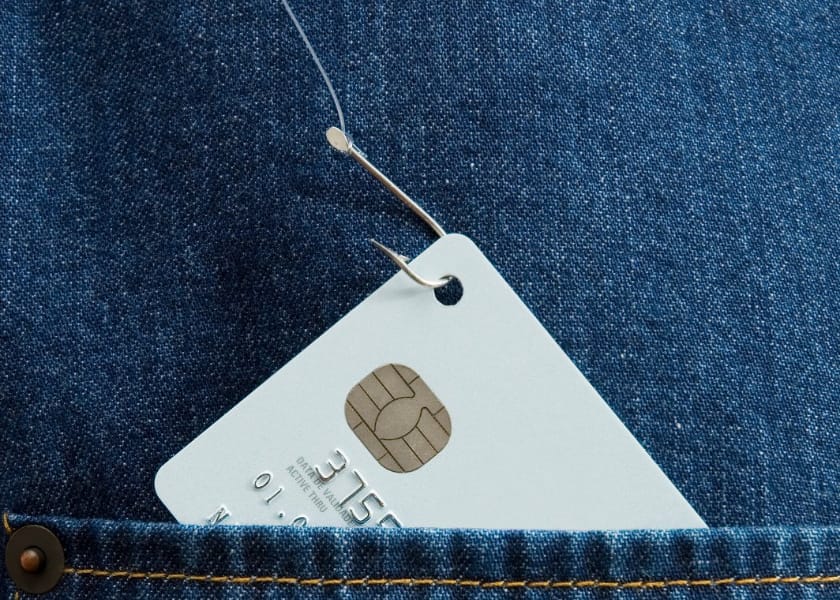
Phishing attacks impersonating your company aren’t just inconvenient—they can be catastrophic. As evidence, global losses from phishing reached $17.4 billion in 2024, marking a 45% increase year-over-year. Therefore, ignoring phishing prevention is not an option.
Still, understanding why attackers choose your brand helps shape your approach. They count on your name being recognized and trusted. Thus, they exploit that trust to elicit clicks, downloads, or payments. However, you’re not helpless; you can build a proactive, layered defense strategy that makes attackers think twice before targeting your brand.
Strategies For Phishing Prevention In Companies
Here are the strategies to prevent phishing attacks:
1. Reinforce Email Authentication
Firstly, you need to secure the email sending pipeline:
- SPF (Sender Policy Framework) specifies authorized mail servers for your domain.
- DKIM (DomainKeys Identified Mail) digitally signs outgoing messages, proving they came from you.
- DMARC (Domain-based Message Authentication, Reporting & Conformance) tells receiving servers to reject emails failing SPF or DKIM checks.
Consequently, spoofed messages, such as invoices, account alerts, or internal requests, get flagged before they reach employees. Nearly 99.99% of breaches are prevented when organizations combine multi-factor protocols with proper authentication. Although setting these up takes some effort, the payoff in brand trust and inbox security is significant.
2. Hard-Coded MFA
Although the credentials might leak, multi-factor authentication (MFA) prevents intruders right away. In particular:
- Authenticator applications (such as Google Authenticator or Authy) are much better than those based on SMS.
- The hardware keys (such as YubiKey) are nearly phishing-resistant.
- Users may become complacent due to what is known as MFA fatigue; at that point, balance should be maintained.
Nevertheless, more than 99.22 percent of breaches are stopped with MFA used on a compromised account, and implementing it as a standard across the company. What about conditional access? Allow users to use MFA only when it comes to signing in to new locations or new devices.
3. Phishing Tests and Training
People are still the weakest link in the network of security. Even worse, phishing prevention attempts were reported in 94 percent of organizations in 2024, in which the employees were breached within minutes.
That is why regular training and simulations are needed:
- Simulations: Use emails that look real four times a year.
- Feedback: Give people who click on the creative instant coaching on the spot in a non-punitive way.
- Diversity: Include the everyday phishing prevention and more advanced spear-phishing.
In addition, the trainers can train workers to recognize cause and effect by incorporating such transition words as meanwhile and on the other hand in the training content. Moreover, role-playing games like phishing telephone conversations or desktop web portal registrations increase awareness and memory agenda.
4. Machine Learning & Machine Filtering Pipelines
Your attackers are becoming more intelligent, and so must your defenses. Using email protection based on AI, the emails are examined by:
- Checking of metadata consistency and the header of the sender.
- Monitoring the message text to receive an indication of urgency, links that will cause a problem to you, or your brand.
- Sender history and reputation signals analysis.
The systems are able to automatically put suspicious emails on hold or pass them on to security departments. Secondly, the solution is to feed user reports into AI and adjust detection algorithms as time goes by, therefore eliminating false alerts but also staying alert.

5. Brand Monitoring & Rip-take Actions
Attackers don’t always go after email first; they often register similar domain names or social profiles. Hence, you should:
- Track look-alike domains, including common misspellings and alternate extensions like .co, .info, or .cc.
- Sign up for brand-mention alerts, covering social media, forums, and niche websites.
- Work with takedown providers to remove imposters swiftly.
For example, one mid-sized retailer discovered a fake .co domain offering “customer support.” As a result, they issued takedown requests and broadcasted warnings via their official newsletter and social channels, averting confusion and protecting their customer base.
6. Internal Policy & Access Hygiene
Next, solid internal email hygiene reduces risk:
- Prepend subject lines of external emails with markers like [EXTERNAL] or EXTERNAL to aid in spotting phishing attempts.
- Apply role-based access controls—grant admin and finance privileges only to essential staff.
- Disable legacy authentication (e.g., outdated email protocols), which can be exploited to bypass MFA.
- Enforce strong password policies and secure account recovery practices.
Also, plan for when employees leave, deprovision emails, revoke MFA tokens, and stop using delegated access immediately.
7. Up-to-Date Systems & Infrastructure Security
Outdated infrastructure invites attackers. Thus:
- Patch servers and endpoints weekly, especially mail servers and operating systems.
- Use secure TLS versions (1.2 or higher) for all mail traffic.
- Regularly review DMARC reports to understand which sources are sending mail on your domain, then update SPF or DKIM records accordingly.
- Use sandboxing or virtual environments to safely open untrusted attachments.
Ultimately, proactive patching strengthens every link in your security chain.
8. Rapid Reporting & Incident Response
Even the best defenses can miss a few threats. That’s why you need to make it easy for employees to report suspect emails:
- Add “Report Phishing prevention” buttons to email clients.
- Publicly acknowledge and reward helpful employees.
- Use incident data to refine training content, detection rules, and response processes.
Moreover, analyze each event for root causes, such as whether phishing bypassed filters, exploited human error, or targeted specific teams. Based on findings, update procedures and run follow-up simulations.
9. Governance, Risk & Compliance (GRC)
Finally, embed phishing prevention policy into your overall GRC framework:
- Align with standards like ISO 27001 or NIST CSF.
- Clarify responsibilities, i.e., who manages email authentication, who handles takedowns, and who owns training?
- Audit processes quarterly, ensuring they are followed and documented.
- Review simulations’ success rates and adjust policies accordingly.
This structure ensures accountability and sustained vigilance.
Final Thoughts
Phishing prevention requires a layered approach. Start with strong email authentication (SPF, DKIM, DMARC) and enforce multi-factor authentication across your organization. Combine these with ongoing employee training, phishing simulations, and clear internal policies. Use AI-powered tools to detect threats early and monitor for fake domains or impersonation attempts. Regular updates, fast incident response, and strong governance practices further reduce risks.
Together, these strategies protect your brand, your data, and your customer trust. In today’s digital world, being proactive isn’t optional; it’s essential to keep your company safe and one step ahead of attackers.
Is technology alone enough to prevent phishing using our company name?
No. Even though tech catches 80–90% of attacks, human awareness and timely response are essential, especially for nuanced spear-phishing schemes where attackers mimic your internal tone.
How frequently should phishing simulations be conducted?
Quarterly simulations are best practice, though twice yearly can suffice for smaller teams. Adjust frequency based on results—for instance, increase if you identify new threat trends or lapses.
What do I do if a spoofed domain or email bypasses filters?
Immediate action is critical: submit takedown requests, alert staff and customers, and review the incident to tighten authentication protocols or refine reporting processes.


